
Specifications


Contents
1 ATTO Provides Storage Solutions ...................................................................1
Installation procedure
ExpressSAS features
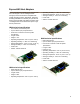
ExpressSAS Host Adapters
H644 technical specifications
H680 technical specifications
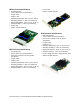
H608 technical specifications
H6F0 technical specifications
H60F technical specifications
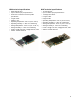
H308 technical specifications
H380 technical specifications
H30F technical specifications
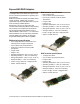
ExpressSAS RAID Adapters
R348 technical specifications
R380 technical specifications
R30F technical specifications
2 Install Drivers .....................................................................................................7
Downloading drivers from the ATTO website
Windows
Installing from the ExpressSAS Installation CD
Installing from the ATTO Technology website
Installing from a directory containing the ExpressSAS driver
OS X
Linux
VMware
Creating and using the Driver CD.
Driver CD as a Boot CD Only
Driver CD as an Update CD Only
New Windows OS Installation
Creating ExpressSAS installation media from the Installation CD
Creating ExpressSAS installation media from a file
Install the driver into a new version of Windows 2000, XP, Server 2003
Install the driver into a new version of Windows Vista, Server 2008
New OS X Installation
Adjusting adapter settings with the EFI
Installing OS X Snow Leopard onto a disk attached to an ExpressSAS adapter
Installing OS X Leopard or Tiger onto a disk attached to an ExpressSAS adapter
3 Install Hardware .................................................................................................15
System requirements
SAS address
Installing the adapter
ExpressSAS R348 only
Bracket details
Adapter board details
Install storage