
Switch User Manual
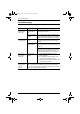
Table Of Contents
- CS1782 User Manual
- Package Contents
- Introduction
- Hardware Setup
- Basic Operation
- Keyboard Port Operation
- Port Switching
- Hotkey Setting Mode
- Invoking HSM
- Alternate HSM Invocation Keys
- Alternate Port Switching Keys
- Keyboard Operating Platform
- List Hotkey Settings
- USB Reset
- Hotkey Beeper Control
- Disable Port Switching Keys
- Firmware Upgrade Mode
- Restore Default Settings
- Display Emulation Technology
- Alternative Manual Port Selection Settings
- Mouse Emulation Control
- Other OS Mode
- HSM Summary Table
- Keyboard Emulation
- The Firmware Upgrade Utility
- Appendix
CS1782 User Manual
36
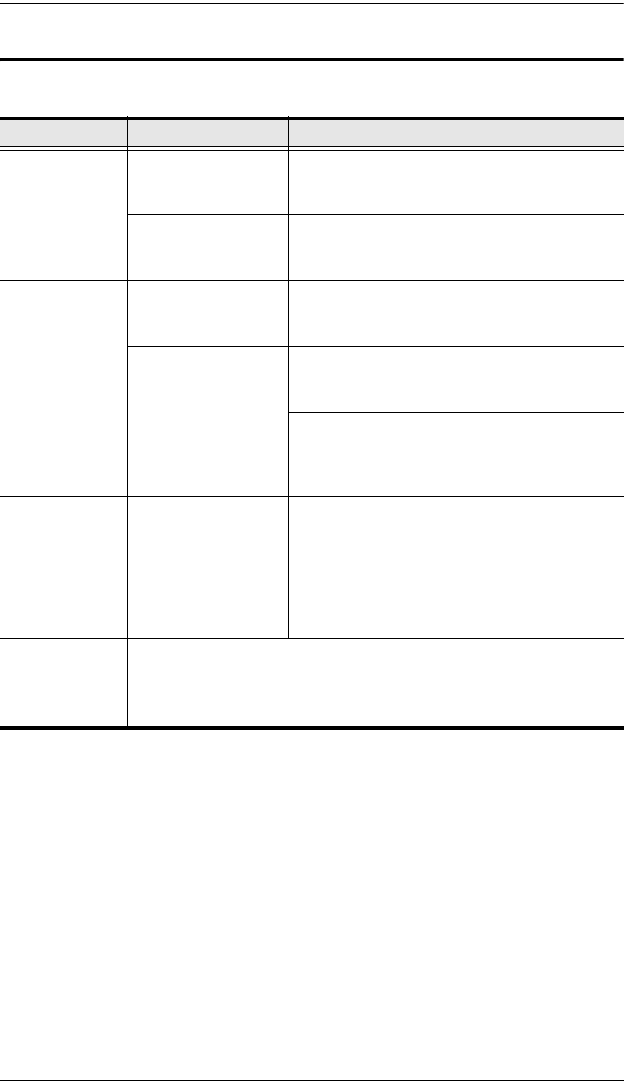
Troubleshooting
Symptom Possible Cause Action
Mouse and/or
Keyboard not
responding.
Improper mouse
and/or keyboard
reset.
Unplug the cable(s) from the console port(s),
then plug it/them back in.
KVM switch needs to
be reset.
Power off all devices on the installation (see
the note at the top of page 11); power off the
KVM switch; wait five seconds; then power up
USB devices
not responding.
USB ports need to
reset.
Unplug the device’s USB cable from the USB
port on the switch’s rear panel, then plug it
back in.
PC or OS does not
support USB 2.0.
The CS1782 has a built-in USB 2.0 hub, so
will not support PCs or OS that do not support
USB 2.0.
For OS that do not support USB 2.0,
keyboard and mouse functions can be reset
using the [F1] hotkey function. See the note
under Mouse Emulation Control on page 18.
Device not
recognized
(Windows).
Windows timing
problem.
1. Unplug the KVM cable from the com-
puter’s USB port.
2. Go into Windows’ System Settings and
remove the Unknown Device entry.
3. Plug the KVM cable back in. Windows will
now recognize the device.
There are ghost
images on the
external
monitor.
The distance between the external console and the CS1782 is too
great. The maximum VGA cable distance should not exceed 20m
and, in some cases, may need to be shorter. Replace the VGA cable
with one of an appropriately short length.
cs1782.book Page 36 Thursday, June 12, 2008 2:28 PM