
Switch User Manual

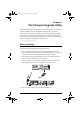
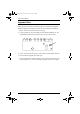
Table Of Contents
- CS1782 User Manual
- Package Contents
- Introduction
- Hardware Setup
- Basic Operation
- Keyboard Port Operation
- Port Switching
- Hotkey Setting Mode
- Invoking HSM
- Alternate HSM Invocation Keys
- Alternate Port Switching Keys
- Keyboard Operating Platform
- List Hotkey Settings
- USB Reset
- Hotkey Beeper Control
- Disable Port Switching Keys
- Firmware Upgrade Mode
- Restore Default Settings
- Display Emulation Technology
- Alternative Manual Port Selection Settings
- Mouse Emulation Control
- Other OS Mode
- HSM Summary Table
- Keyboard Emulation
- The Firmware Upgrade Utility
- Appendix
25
Chapter 6
The Firmware Upgrade Utility
The Windows-based Firmware Upgrade Utility (FWUpgrade.exe) provides a
smooth, automated process for upgrading the KVM switch’s firmware.
The Utility comes as part of a Firmware Upgrade Package that is specific for
each device. New firmware upgrade packages are posted on our Website as
new firmware revisions become available. Check the web site regularly to find
the latest packages and information relating to them:
http://www.aten.com
Before you Begin
To prepare for the firmware upgrade, do the following:
1. From a computer that is not part of your KVM installation go to our
Internet support site and choose the model name that relates to your device
(CS1782) to get a list of available Firmware Upgrade Packages.
2. Choose the Firmware Upgrade Package you want to install (usually the
most recent), and download it to your computer.
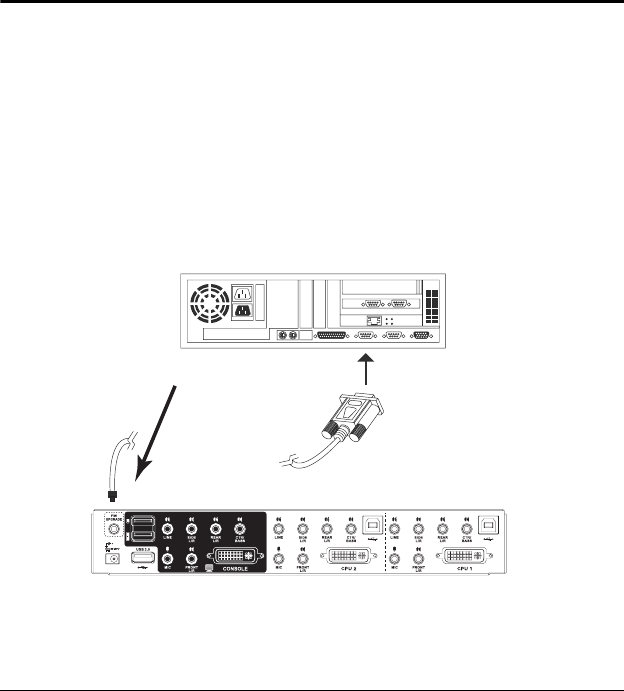
3. Use the Firmware Upgrade Cable provided to connect a COM port on
your computer to the Firmware Upgrade Port of your switch.
4. Shut down the computers on your CS1782 installation.
cs1782.book Page 25 Thursday, June 12, 2008 2:28 PM