
Switch User Manual
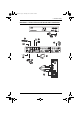
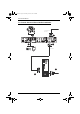
Table Of Contents
- CS1782 User Manual
- Package Contents
- Introduction
- Hardware Setup
- Basic Operation
- Keyboard Port Operation
- Port Switching
- Hotkey Setting Mode
- Invoking HSM
- Alternate HSM Invocation Keys
- Alternate Port Switching Keys
- Keyboard Operating Platform
- List Hotkey Settings
- USB Reset
- Hotkey Beeper Control
- Disable Port Switching Keys
- Firmware Upgrade Mode
- Restore Default Settings
- Display Emulation Technology
- Alternative Manual Port Selection Settings
- Mouse Emulation Control
- Other OS Mode
- HSM Summary Table
- Keyboard Emulation
- The Firmware Upgrade Utility
- Appendix

CS1782 User Manual
8
4. At the other end of the cable, plug the USB, video, microphone, and
speaker cables into their respective ports on the computer. There are two
audio options:
a. For a standard audio installation, just use the ATEN custom KVM
cable set provided with the package. This supports 2.1 channel
surround sound.
b. To utilize the 7.1 channel surround sound function, in addition to 4a
above, also use the extra custom audio cable set provided. Attach the
cables to the corresponding colored audio jacks on the motherboard.
5. Plug your USB peripherals into the type A sockets (one is located on the
front, the second is located on the rear).
6. Plug the power adapter that came with your switch into an AC power
source, then plug power adapter cable into the switch’s Power Jack.
7. Power on the computers.
cs1782.book Page 8 Thursday, June 12, 2008 2:28 PM