
User`s manual





20
Operation
Options while on calls
Volume control
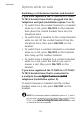
To adjust the listening volume:
While on a call, press the VOLUME
+ –
keys on
the side of the headset to adjust the listening
volume.
NOTE: When the volume reaches the minimum or maximum
setting, you hear three quick beeps.
Call waiting
If you subscribe to call waiting service offered by
your telephone service provider, you hear a beep
if there is an incoming call while you are already
on a call.
If you have registered the TL7600 to a headset
base and chosen installation option 3 from
the TL7610/TL7611 user’s manual, you must
answer call waiting using the corded telephone
base (see your telephone user’s manual for
instructions).
To end call waiting call, press ON/OFF on the
headset and hang up the corded handset by
placing it in the telephone base.
For all other installations, press and hold
MUTE/FLASH on the side of the headset to
put your current call on hold and answer the
new call. You can press and hold MUTE/FLASH
at any time to switch back and forth between
calls.
To end call waiting call, press ON/OFF on the
headset.
•
•
VOLUME
+ –
MUTE/FLASH