
Manual






11
Telephone operation
Base settings
Choose dial mode
The factory default setting is TONE. If you do not
have touch tone dialing service in your area, it will
be necessary to change the setting to PULSE.
To set your telephone for dial pulse (rotary)
service:
Press a LINE key and press SPEAKER.
Press PROGRAM, #, #, #, 3.
To change back to touch tone service:
Press a LINE key and press SPEAKER.
Press PROGRAM, #, #, #, 8.
To switch from pulse to tone dialing during a call,
see Temporary tone dialing on page 15.
Check for dial tone
Ensure there is a handset connected to the
telephone base and that the batteries are
installed.
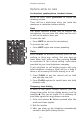
1. Lift the handset and press LINE 1.
2. Press SPEAKER or press HEADSET (if a
headset is connected) and listen for a dial tone.
-THEN-
3. Lift the handset and press LINE 2.
4. Press SPEAKER or press HEADSET (if a
headset is connected) and listen for a dial tone.
If there is no dial tone, refer to Troubleshooting
on page 22.
NOTE: If you press HEADSET when there is
no headset connected to the telephone base,
ensure the batteries are properly installed, or else,
there will be a warning tone.
1.
2.
1.
2.
OP ER
PQR S
TU V
WX YZ
AB C
DE F
GH I
JK L
MN O
MIC
OP ER
PQR S
TU V
WX YZ
AB C
DE F
GH I
JK L
MN O
MIC