
User Manual Owner's manual


68
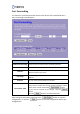
DDNS
Dynamic Domain Name Server (DDNS) is a service that provides a fixed domain name
to map a frequently changed IP address.
Note: DDNS is only supported in Gateway mode. It’s disabled and hidden in Bridge
mode.
Item Description
Enable DDNS Check the box to enable DDNS function.
Service Provider
There are 2 service providers: DynDNS and TZO. You can select
the one that you have an account.
Domain Name Input the domain name you registered on the service provider.
User Name/Email Input your user name or email on the service provider.
Password/Key Input your password on the service provider.
After setting the parameters, please click the button to save the
configurations, or click the button to reset the configurations before you
changed them.