
User Manual Owner's manual


63
VLAN
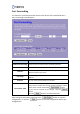
Virtual Local Area Network (VLAN) is created to provide the segmentation services
traditionally provided by routers.
Item Description
Enable VLAN
Check the box to enable the Virtual Local Area Network (VLAN)
function, and then check a record.
Ethernet/Wireless This column lists the available ports including virtual APs.
WAN/LAN This column marks the ports as WAN or LAN.
Tag Check the box to set a tag for a VLAN.
VID
VID is used to identify and classify the VLANs. VID can be set
from 1 to 4096.
Priority You can set priorities for the VLANs from 1 to 7.
CFI
When the box is check, the data frames on the VLAN won’t be
forwarded.
After setting the parameters, please click the button to save the
configurations, or click the button to reset the configurations before you
changed them.