
User Manual Owner's manual




28
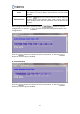
Item Description
Select SSID Select the SSID you want to set an encryption for.
Encryption Select “WPA”.
Authentication Mode Select “Personal (Pre-Shared Key)” mode.
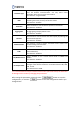
WPA Cipher Suite
There are 2 types provided: TKIP and AES. Select one according
to your need.
Pre-Shared Key Format
Select “Passphrase” or “Hex (64 characters)” as the format of
your password.
Pre-Shared Key
Enter your password according to the Pre-Shared key format
you selected. This password will be required when the wireless
clients access the router.
Show Password Select to show the password or not.
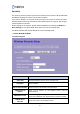
D. WPA2 Encryption
>> Enterprise (RADIUS) Authentication