
User Manual Owner's manual




25
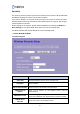
B. WEP Encryption
>> 802.1x Authentication
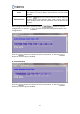
Item Description
Select SSID Select the SSID you want to set an encryption for.
Encryption Select “WEP”.
802.1x Authentication Check the box to set the 802.1x authentication.
Authentication This can’t be selected in 802.1x authentication.
Key Length Select “64-bit” or “128-bit” as the length of your password.
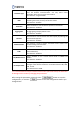
RADIUS Server IP
Address
Enter the IP address of the RADIUS server that
used for
authentication.
RADIUS Server Port
The default UDP port for RADIUS server is 1812. If your RADIUS
server uses a different port, please set the actual port number.
RADIUS Server
Password
Enter the password of the RADIUS server.
>> Authentication