
How-To Guide
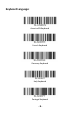
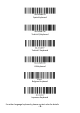

- 3 -
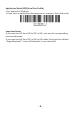
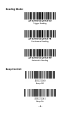
Application Mode (SPP)(Serial Port Profile)
• For Android or Windows
• If you have an application that supports our scanners, this is the mode
Bluetooth SPP
Important Notes:
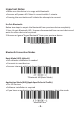
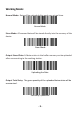
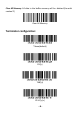
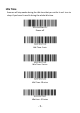
If you want to shift from HID to SPP or BLE, just scan the corresponding
command barcode.
If you want to shift from SPP or BLE to HID mode, first ignore (or delete)
"Argox Bluetooth"→ turn off bluetooth→ scan command.