
Operation Manual


Table Of Contents
- Contents
- 1 Getting Started With the QuickTake 100 Camera
- 2 Using the Camera to Take Pictures
- 3 Using the Camera With Your Macintosh
- 4 QuickTake Software Menu Commands
- 5 Maintenance and Troubleshooting
- Appendix A Specifications
- Appendix B Battery Information
- Appendix C Using the Camera with a Windows-Based PC
- Appendix D Using QuickTake Setup
- Index
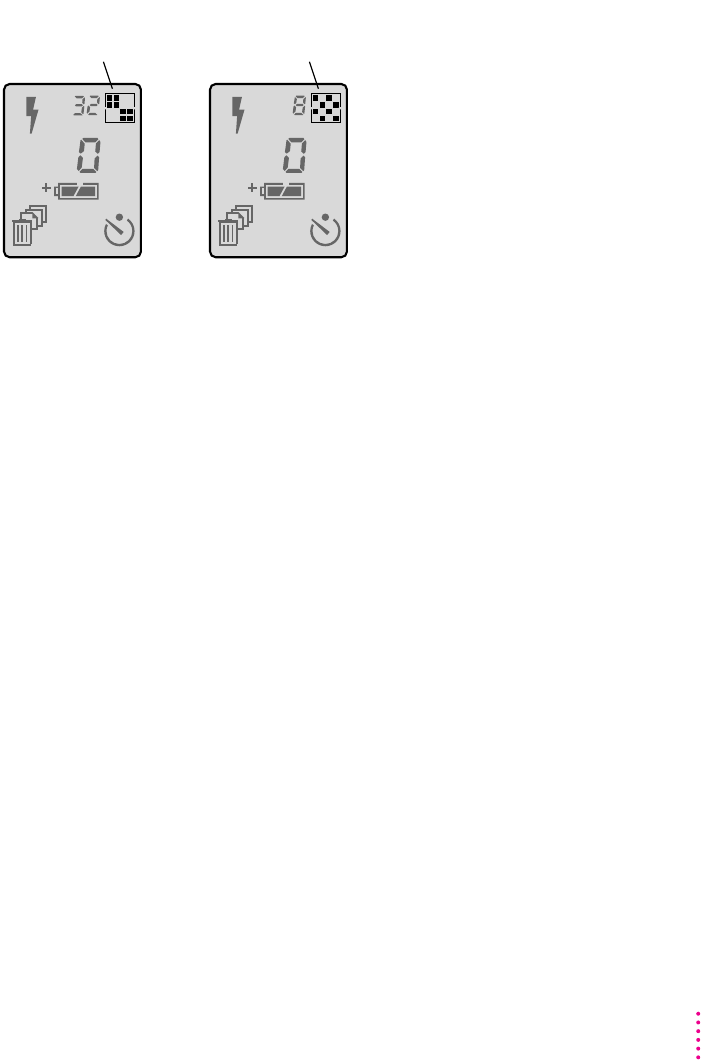
Resolution settings
There are two possible settings for resolution. Each time you press the
resolution button, you toggle from one setting to the other.
m Standard resolution means 320 x 240 pixels. You can take up to 32
standard-resolution pictures.
m High resolution means 640 x 480 pixels. Each picture contains more detail.
You can take a maximum of eight high-resolution pictures; they take more
space in memory than standard-resolution pictures.
m You can mix high- and standard-resolution pictures on the camera, all in
24-bit color.
A A
For standard resolution,
press the button until
you see this icon.
For high resolution,
press the button until
you see this icon.
13
Using the Camera to Take Pictures