System information
Manuals
Brands
Apple Manuals
Computers
Pavilion dv4-4200
51
52
53
54
55
56
57
58
59
60
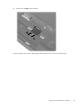
2.
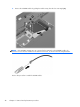
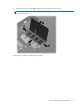
Remove the SIM
(2)
from the SIM slot.
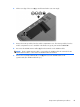
Insert the SIM into the SIM slot, and gently push
the SIM into the slot until it is firmly seated.
Component replacement proced
ures
43
1
...
...
49
50
51
52
53
...
...
135