
Manual


Changing the zoom factor
To change the level of detail in your graph, tap View and then tap Zoom In or
Zoom Out.
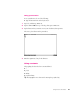
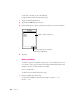
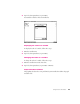
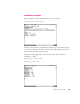
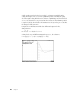
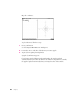
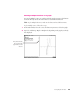
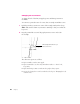
To zoom in to a particular section of a curve, draw a rectangle around that section.
1 Hold the pen where you want one corner of the rectangle, until you hear a beep.
Note:
Make sure the volume on your eMate is turned up so that you can hear the
beep noise.
2 Drag the pen until the section of the graph you want to view is enclosed in
the rectangle.
The other View options are as follows:
m Tap Zoom Full to view the entire graph.
m Tap Zoom Default to set the x and y min and max values to –12 and +12,
respectively.
m Tap Constrain Aspect Ratio to make sure the graph is always square.
m You can also change the zoom factor with the Scale slip. See “Changing the Scale
of an Axis” next.
30 Chapter 3
T
h
i
s
r
e
c
t
a
n
g
l
e
d
e
f
i
n
e
s
t
h
e
a
r
e
a
y
o
u
w
a
n
t
t
o
z
oo
m
i
n
o
n
.