
Manual
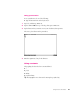
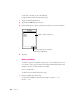

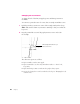

To use these constants, do one of the following:
m Type the function name from the keyboard, or
1 Tap Tools, and then tap Functions.
2 Tap the diamond u, then tap Constants.
3 In the list that appears, tap the constant that you want to use in your calculation.
4 Tap Insert.
Using variables
A variable can represent a number, an expression, or a list. Variable names are not
case-sensitive, can be up to 255 characters in length, and must begin with a letter.
Variables can consist of other variables. For example,
Dist = High–Low
To define your own variable, follow these steps:
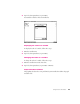
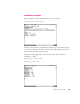
1 Enter the variable name and its value.
Use the format
v
a
r
i
a
b
l
e
=
e
x
p
r
e
ss
i
o
n
.
For example, myvar = 3 or
myvar = 3+y
22 Chapter 2
T
a
p
t
h
e
c
o
n
s
t
a
n
t
y
o
u
w
a
n
t
t
o
u
s
e
.
W
h
e
n
y
o
u
’
r
e
f
i
n
i
s
h
e
d
,
t
a
p
h
e
r
e
t
o
i
n
s
e
r
t
t
h
e
c
o
n
s
t
a
n
t
i
n
t
o
t
h
e
m
a
t
h
w
i
n
d
o
w
.