
User`s guide



CHAPTER 6
Pickers, Pop-up Views, and Overviews
Date, Time, and Location Pop-up Views 6-19
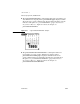
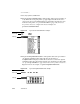
■ The protoMultiDatePopup allows the user to specify a range of dates. For
information about the slots and methods for this proto, see “protoMultiDatePopup”
(page 5-72) in Newton Programmer’s Reference. Figure 6-27 shows an example
of a
protoMultiDatePopup.
Figure 6-27 A protoMultiDatePopup example
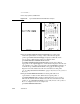
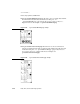
■ The protoYearPopup allows the user to choose a year. For information about
the slots and methods for this proto, see “protoYearPopup” (page 5-73) in
Newton Programmer’s Reference. Figure 6-28 shows an example of a
protoYearPopup.
Figure 6-28 A protoYearPopup example
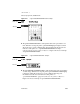
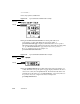
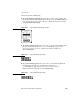
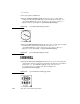
■ The protoTimePopup allows the user to choose a time with a digital clock.
For information about the slots and methods for this proto, see
“protoTimePopup” (page 5-74) in Newton Programmer’s Reference.
Figure 6-29 shows an example of a
protoTimePopup.
Figure 6-29 A protoTimePopup example