
Manual

Synchronizing for the first time
To synchronize for the first time, follow these steps:
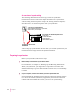
1 Open the Newton Connection Utilities and establish a connection from your Newton
device.
For instructions, see Chapter 1, “Getting Started.”
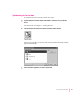
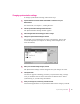
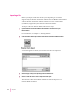
2Click the Synchronize button in the Newton Connection Utilities window.
When you synchronize for the first time, the Synchronization Setup window
appears automatically.
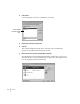
3 Select the Newton application you want to synchronize.
53
Synchronizing Information