
Instruction Manual


Using a storage card when you synchronize
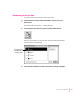
If you have a storage card inserted in your Newton device when you
synchronize, the appropriate information on the card is included in the
synchronization. For example, if you’re synchronizing the Newton Names
application, all names on the card are included in the synchronization.
IMPORTANT
If you’re synchronizing information on a card, be careful when
you resynchronize to insert the same card you inserted when you last
synchronized. Otherwise, you may lose information.
Changing synchronization settings
To change synchronization settings, follow these steps:
1 Open the Newton Connection Utilities and establish a connection from your
Newton device.
For instructions, see Chapter 1, “Getting Started.”
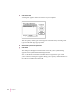
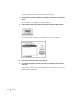
2Choose Synchronization Settings from the Edit menu.
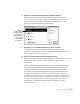
The Synchronization Settings window appears.
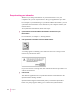
3Select the application whose settings you want to change by clicking to highlight it.
65
Synchronizing Information