
Instruction Manual



Importing an unrecognized file
This section describes what happens if more than one translator can be used
to convert the file you’re importing and if more than one Newton application
can receive the information you’re importing.
To import a file, follow these steps:
1 Open the Newton Connection Utilities and establish a connection from your
Newton device.
For instructions, see Chapter 1, “Getting Started.”
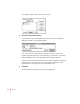
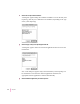
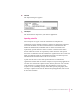
2Click the Import button in the Newton Connection Utilities window.
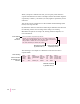
A dialog box appears with a list of files to import.
45
Importing Information to Your Newton Device