
Instruction Manual

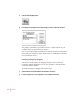

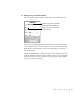

3Select one or more package icons.
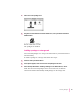
4 Drag the icons to the Newton Connection Utilities icon, or into your Newton Connection
Utilities window.
The packages are installed.
Installing a package on a storage card
You can install packages on a storage card rather than in your Newton device’s
internal memory.
To install a package on a storage card, follow these steps:
1 Insert the card in your Newton device.
2 In the slip that appears, select “Save new info and packages on this card.”
3 Follow the steps described in “Installing a Package on Your Newton Device,” earlier.
With “Save new info and packages on this card” turned on, the Newton
Connection Utilities automatically install packages on the storage card.
35
Installing Packages