
User`s guide




Troubleshooting Capacitor Discharge - 19
Caution:
Be sure to switch off power and unplug the printer
before performing this procedure.
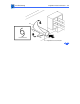
To discharge capacitor C202, switch off the printer and remove
the rear panel and I/O shield. Carefully jumper the two wires at
the base of the capacitor using some kind of conductor.
Note:
There are many different tools that can be used to discharge
the capacitor: a flat blade screwdriver, paper clip, or aluminum
foil doubled over. The tool illustrated is a length of lead solder. It
has the advantage of being ductile and is less apt to damage the
controller board.