
Technical information


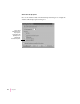


PostScript
Click the PostScript tab to display the PostScript tab dialog box, which
controls the output format.
m
PostScript output format
Tells th e driver to build PostScript document
descriptions that print as fast as possible when “Optimize for Speed” is
selected. Such document descriptions might not print successfully on
printers with limited memory. Select “Optimize for Portability” to tell the
driver to build PostScript document descriptions that print successfully on
many different printers. Select “Encapsulated PostScript” to tell the driver
to build an encapsulated PostScript document description, rather than a
PostScript description. Select “Archive format” to suppress many of the
printer settings that might prevent the file from printing. Choose this
option only if the file might be printed on unknown devices.
175
Windows 95 and Windows NT Users
These options appear only when you open
the Properties dialog box from the Printers
folder.