
Technical information


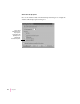


When the printer runs out of paper in one tray, it can automatically switch to
another paper cassette or the multipurpose tray. By using automatic tray
switching between the 500-sheet paper cassette and the 150-sheet
multipurpose tray, you can print 650 sheets without reloading paper. If you
have the optional 500-sheet feeder and cassette, and it contains the same size
paper, automatic tray switching includes it as a paper source. If you have two
optional 500-sheet cassettes and feeders, you can print 1650 sheets without
reloading paper.
174
Chapter 8
These options appear only when you open
the Properties dialog box from the Printers
folder.