
Specifications





Basics Service Test Page - 7
Service Test Page
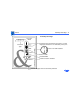
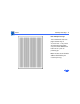
The service test page is
generated by the DC
controller board and serves
to confirm print engine
operation. To generate this
test page, remove the bottom
panel cap located at the rear
of the printer. Insert a
screwdriver or similar
dowel-shaped tool through
the quarter inch diameter
opening and press the
service test page button.