
Specifications





Take Apart DC Power Supply - 73
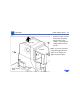
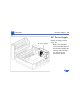
6 Remove the three screws
that secure the DC power
supply to the chassis.
Replacement Note:
Failure to install the DC
power supply screws
could result in erratic
test results due to poor
electrical connections.
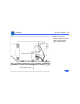
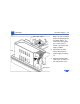
7 Firmly lift the DC power
supply straight up and
out of the printer.
Note: First remove the
distribution board and
cover before returning the
DC power supply to Apple.
DC Power
Supply