
Specifications


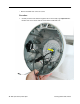


Housing, Outer Shell, Plastic
Tools
This procedure requires the following tools:
• Torx-10 screwdriver
Part Location
Preliminary Steps
Before you begin, do the following:
• Position the computer in the service stand.
• Remove the user access plate.
• Remove the bottom housing.
• Remove the drive carrier assembly.
• Remove the power supply.
• Remove the power supply insulators.
• Remove the fan.
• Remove the plastic neck cable retainer (under the fan).
• Remove the cap spoke holder.
Housing, Outer Shell, Plastic
iMac (Flat Panel) Take Apart - 71