
User manual


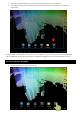
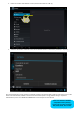

2. Under the “wireless and networks” section, flick the Wi-Fi switch to “ON” (1)
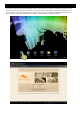
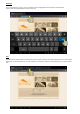
3. Select the desired Wi-Fi network from the list of available networks and enter the password, if required.
Once the authentication process has been completed; the device will save the data so that the next time you turn on the
device it will automatically establish connection with the network (when in range) without having to repeat the
authentication process. Your APOLLO SY-Z18M8 tablet is now ready to surf the internet!
NOTE: The APOLLO SY-Z18M8 is
compatible with the following
security and encryption standards:
WEP, WPA, WPA2, TKIP and AES.