
User manual


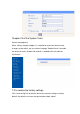

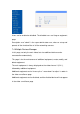


Users can be enabled or disabled. The disabled users can’t log on equipment
page.
Description: user "admin" is the super-administrator user, who can set up and
operate all the functionalities of all the networking cameras.
7.4 Multiple Devices Manager
In this page, not only the main video, but also additional device can be
connected be automatically.
This page is for the maintenance of additional equipment, create, modify, and
delete equipment.
The main equipment is always displayed on the video channel 1 (CH 1),
followed by additional equipment.
Additional equipment can be "move up" or " move down" to adjust- its order in
the video surveillance page.
Additional equipment can be disabled, and the disabled device will not appear
in the video surveillance page