
Specifications





SURT Stack/Rack-Mount 12U 14000/18000 VA 200 Vac 15000/20000 VA 208/240 Vac 26
Troubleshooting display messages
Use the table below to solve minor installation and operation problems. Refer to the APC Web site,
www.apc.com for assistance with complex UPS problems.
The display interface reports various messages on the LCD, including alarm status and changes in system
configuration. This section lists all display interface messages, the reason for the message, and the
appropriate corrective action.
Messages may occur simultaneously. If this happens, be sure to review all of the messages for a better
understanding of the system condition.
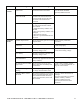
Condition LCD Message Reason for Message Corrective Action
Start-Up
#Batteries changed since
last ON.
At least one battery module has been
added or removed from the UPS since
the last time the Pwr ON command
was issued.
No corrective action necessary.
Proceed with the start-up.
Automatic Self Test Started. The UPS has started pre-programmed
battery test.
Batt capacity less than
Return Batt Cap.
The battery capacity of the UPS is
less than the user-specified minimum
battery capacity required to turn on
the load.
Option 1) Abort the start-up and
allow batteries to recharge.
Option 2) Continue start-up, with less
than minimum battery capacity.
System Start-Up
Configuration Failed.
System configuration error: Start-up
diagnostic fault.
Check for other alarms.
Ensure input and output wiring
configurations are correct. Refer to
“Input wiring” on page 12 and
“Output wiring” on page 14 in this
manual.
If the problem persists contact APC
Customer Support. Refer to “Contact
Information” on page 31 in this
manual.
Mains: Site Wiring Fault. • Input and/or output wiring trays
are not configured correctly.
• Output jumper is not installed/
Verify input and output wiring.
Verify output jumper installation.
Refer to “Input wiring” on page 12
and “Output wiring” on page 14 in
this manual.
General
Status
# of batteries increased. At least one battery pair has been
added to the system.
No corrective action is necessary.
# of batteries decreased. At least one battery pair has been
removed from the system.
# External Battery Packs
increased.
At least one external battery pack has
been connected to the UPS.
# External Battery Packs
decreased.
At least one external battery pack has
been disconnected from the UPS.
Module
Failure
Bad Battery Pair. A battery pair has failed and requires
replacement.
Refer to battery pair installation in the
external battery pack user manual.