
Owners manual





83KVM Access Management Software User Manual
Tasks
The Tasks menu allows authorized administrators to perform a number of system maintenance tasks. The
tasks that can be performed are determined by the user's type, and the authorization options that were
selected when the user's account was created. These include:
• Backing up the server database
Note: Restoring the database requires a separate utility and procedure. See “Restore”
on page 111, for details.
• Exporting event logs
• Controlling PDU devices
• Upgrading the firmware of selected appliances
• Backing up device configuration and account information
• Exporting the device log
• Exporting the session history
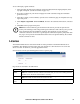
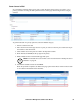
Open the Tasks page on the master KVM ACCESS to see the screen below:
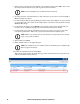
The Task List table lists all the tasks that have been configured.
Adding a Task
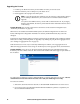
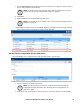
1. Click the arrow at the right of the Add field to view the task choices in the list:
2. Click on the task you want to add.
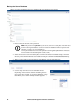
Depending on the task you choose, a page comes up with choices. While each of the tasks is
different, the procedures involved in setting them up are similar.
Heading Explanation
Name The name you gave to the task when you configured it.
Type The type of task that it is.
Next Run If the task is scheduled to be run at a certain time, the time that it will run appears here.
Last Run Indicates the last time that the task ran.
Status Indicates whether the task is running or is idle.