
Owners manual




49KVM Access Management Software User Manual
Using VPN
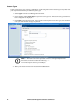
In some installations you may prefer to use a VPN (virtual private network) environment for your KVM
ACCESS functions. This is accomplished by enabling the Management function (on the device's ANMS
page - see page 104) and entering the IP address of the KVM ACCESS. See “VPNs” on page 104, for
more details.
Menu Structure
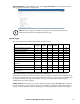
The Device Management menu structure:
Devices Menu
The Devices menu has three Panel Menu items: Devices, Tools, and Device Sync.The default page is the
main page of the Devices Panel Menu.
Devices
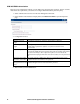
The Devices Panel Menu is used to add, modify, delete, and organize devices and device folders. All
device items that have been configured for use on the KVM ACCESS server and have been added into
its database are listed in the Sidebar.
Tab Page Menu Panel Menu Page
Device
Management
Devices Devices 49
Tools 61
Device Sync 63
Sidebar Device Tree Properties (KVM) 63
Access Rights (KVM) 65
Device Configuration (KVM) 67
Port Configuration (KVM) 68
Properties (PDU)* 68
Access Rights (PDU)* 69
Device Configuration (PDU)* 70
Outlet Configuration (PDU)* 70
Departments, Locations,
Types
71
Unsupported Devices 72
* This item only appears when a PDU device is selected.