
Owners manual





29KVM Access Management Software User Manual
Alias
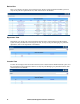
Selecting Alias on the Panel Menu, opens a page that allows you to give your devices, ports, and outlets
a nickname to make it more convenient to remember which items you are managing.
• The default view only shows devices. To give an alias to a port or outlet, click the arrowhead in
front of the device's name to show them.
• Enter the alias into the Alias field of the device, port, or outlet. When you return to an
organizational view page, the alias appears in the Sidebar instead of the device or port name.
Note: The alias is visible only for the user who created it. Other users see the original
name (or an alias that they have created).