
Owners manual





121KVM Access Management Software User Manual
TACACS+ Settings Example
In this example the external server is TCACS+: Microsoft IAS for Windows Server 2003 (ClearBox). Its
IP address is 10.0.0.100. Configure TCACS+ as follows:
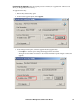
1. Open Start > All Programs > ClearBox RADIUS TACACS+ Server > Server Manager.
2. In the screen that comes up, click Connect.
3. Enter the password that you set when you installed the ClearBox RADIUS TACACS+ Server.
4. In the ClearBox Server Configurator screen, select the Server Settings tab.
5. In this example, the TACACS+ service port is 49.
6. Open Start > All Programs > ClearBox RADIUS TACACS+ Server > Configurator.
7. In the screen that opens in the left panel, select Realms > def, then select the Authentication tab.
8. Click the Allowed Protocols... button.
9. In this example we use MS-CHAP for the allowed authentication protocol.
10.You are returned to the ClearBox Server Configurator screen. In the left panel select Data
Sources > users.
11.In the main panel of the screen that opens, there is an MS Access entry field with a path
specifying the general.mdb file. Accounts contained in this file are generated through MS
Access.
The KVM ACCESS Administrator gets this information to use in the Adding an External
Authentication Server procedure (see “RADIUS and TACACS+” on page 46).
In this example, the fields would be filled in as follows:
– IP: 10.0.0.100
– Port: 49
– Authentication type: MSCHAP
– Shared secret: the password that you set when you installed the ClearBox RADIUS TACACS+
Server
After the TACACS+ Authentication server has been added, when the KVM ACCESS Administrator
adds user accounts, the names that were configured in the TACACS+ server's general.mdb file must be
used.
NT Domain Settings Example
In this example the external server is Microsoft Windows NT Domain; its Server IP is
QA_NT_SERVER. Configure NT Domain as follows: Open Start > Programs > Administrative Tools
(Common) > User Manager for Domains to open a screen.
The KVM ACCESS Administrator gets the information to use in the Adding an External Authentication
Server procedure. In this example, the fields would be filled in as follows: Server IP: QA_NT_SERVER
After the NT Domain server has been added, when the KVM ACCESS Administrator adds user
accounts, he must use the names that were configured under User Manager for Domains.