
Installation manual
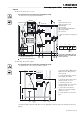

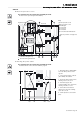


Connecting cabinet ECPs (exposed conductive parts) >
34020846EN/AE - Page 44
1. Installation
1.7 Connecting cabinet ECPs (exposed conductive parts)
Valid for UPS, external bypass, SSC and battery cabinets
Interconnect the ECPs and tie down the wires
1.8 Connecting the synchronization module
Refer to the “synchronization module installation manual" no. 34000346.
This operation must be carried out by qualified personnel.
The door must be opened using the Ronis 405 key.
The protective covers must be removed.
1 - Connect the ECPs of all the
cabinets in the installation using an
additional earthing cable (not
supplied) with the characteristics
below:
- Minimum size is half that of a phase
earthing conductor, same type of
cable as for phase conductors.
- As short as possible.
Cabinet 1
Cabinet 2
Cabinet 3
Additional earthing cable between cabinets.
Main earth