
Specifications






Back-UPS Pro 500 BG500 120 Vac 45
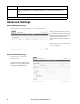
To configure data log rotation (Diagnostics > Data Logs > Rotation):
Rotation causes the contents of the data
log to be appended to the file you
specify by name and location. This
means you can store the data before it is
deleted.
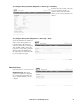
To configure data log size (Diagnostics > Data Logs > Size):
Specify the maximum size (number of
entries) of the data log. When you
resize the data log, all existing log
entries are deleted. To avoid losing log
data, use FTP or SCP to retrieve the
log before you resize the log. After the
data log reaches the maximum size,
the oldest entries are deleted from the
log as new entries are logged.
Download Logs
Path: Diagnostics > Download Logs
Download Logs. This feature
captures an assortment of debug data
into a single file and then allows the
user to download that file to a local
computer.
bu358a
bu359a
bu298a