
Specifications






Back-UPS Pro 500 BG500 120 Vac 43
Diagnostics Menu
Event Log Filter
Path: Diagnostics > Event Log > Filter
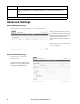
Event log .
By default, the log displays all events
recorded during the last two days,
starting with the latest events.
To display the event log. By
default, the event log displays the most
recent events first. To see the events
listed together on a Web page, click the
Launch Log in New Window button.
To open the log in a text file or to save
the log to disk, click on the floppy disk
icon, , in the same line as the
Event Log heading.
To filter the log:
Filtering the log by date or time: Use the Last or From radio buttons. (The filter configuration is saved until the
UPS restarts).
Filtering the log by event: Click Filter Log. Clear a check box to remove it from view. Text at the upper right
corner of the event log page indicates that a filter is active after you click Apply. The filter is active until you clear
it or until the UPS restarts. To remove an active filter, click Filter Log, then Clear Filter (Show All). As
Administrator, click Save As Default to save this filter as the new default log view for all users.
See these important points on filtering:
• Events are processed through the filter using OR logic.
• Events that you cleared in the Filter By Severity list never display in the filtered event log, even if the
selected in the Filter by Category list.
• Similarly, events that you clear in the Filter by Category list never display in the filtered event log.
To delete the log: To delete all events, click Clear Log. Deleted events cannot be retrieved.
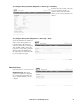
To configure reverse lookup: Path: Diagnostics > Events Logs > Reverse Lookup
With reverse lookup enabled, when a
network-related event occurs, both the
IP address and the domain name for the
networked device with the event are
logged in the event log. If no domain
name entry exists for the device, only
its IP address is logged with the event.
Since domain names generally change
less frequently than IP addresses,
enabling reverse lookup can improve
the ability to identify addresses of
networked devices that are causing
events.
Reverse lookup is disabled by default. Enable it unless you have no DNS server configured or have poor network
performance because of heavy network traffic.
bu295a
bu356a