
Specifications






Back-UPS Pro 500 BG500 120 Vac42
Advanced Settings
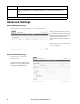
Session Management page
Path: Network > Advanced Settings > Session Management
The page gives details about users who
log on to this user interface. The details
include the logon name in User, the IP
address used, and what means of
authentication were used to validate the
user.
The Terminate Session button enables
you to log off a user.
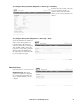
Current IPv6 Settings Page
Path: Network > Advanced
Settings > IPv6
See the user interface online help for
details on the options: Manual, Auto
Configuration, DHCPv6 Mode.
Reset Only
1
TCP/IP settings: Set TCP/IP Configuration to DHCP, its default setting, requiring that the UPS
receive its TCP/IP settings from a DHCP or BOOTP server. See "Custom Network Settings" on
page 41.
UPS to Defaults: Reset only UPS settings, not network settings, to their defaults.
Action Definition
1
Resetting may take up to a minute. The UPS name will not be reset.
bu293a
bu294a