
Specifications






Back-UPS Pro 500 BG500 120 Vac40
Network Menu
The Network page gives you your IP, domain name, and ethernet port settings. See the online help for details on
individual fields.
Settings
Path: Network > Settings
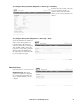
Current Network Settings
The Current Network Settings display the
current IPv4 address, subnet mask, default
gateway, MAC address, and boot mode of the
UPS.
Current DNS Settings
The Current DNS Settings display the current
IPv4 address of active primary and secondary
DNS server, active host name and domain
name.
The TCP/IP option displays the current IPv4
address, subnet mask, default gateway, MAC
address, and boot mode of the UPS.
General Networking Settings
By default, the Back-UPS network
management module is always available as
long as the UPS is on. When the UPS is off,
the network management interface is also not
available unless the battery is charging. The
“Network Always On” option enables the
network management interface to be
accessible in all situations, whether or not the
UPS is on and regardless of whether AC
power is available.
Custom DNS Settings
Use the options under DNS to configure and test the Domain Name System (DNS):
• Specify the Primary DNS Server and/ or the Secondary DNS Server to specify the IPv4 or IPv6 addresses
of the primary and optional secondary DNS server. For the UPS to send e-mail, you must at least define the
IP
address of the primary DNS server.
– The UPS waits up to 15 seconds for a response from the primary DNS server or the secondary DNS
server. If the UPS does not receive a response within that time, e-mail cannot be sent. Therefore, use
DNS servers on the same segment as the UPS or on a nearby segment (but not across a wide-area
network [WAN])
– After you define the IP addresses of the DNS servers, verify that DNS is working correctly by testing it,
see "DNS Test page" on page 46.
• Host Name: After you configure a host name here and a domain name in the Domain Name field, users can
enter a host name in any field in the UPS interface (except e-mail addresses) that accepts a domain name.
bu291a