
Specifications




Back-UPS Pro 500 BG500 120 Vac16
Windows XP
1. Turn on UPS and connect UPS to the Windows XP computer via a USB cable.
Windows XP will display an icon in the taskbar.
If UPS is powered by AC source:
If UPS is powered by battery:
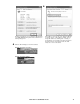
In the Power Options Properties window, select Alarms
tab. In the Critical battery alarm pane, check Activate
critical battery alarm when the power level reaches:
option, change the percentage of battery remaining that
you want for critical battery level. Then click Alarm
Action button.
In the Critical Battery Alarm Actions window, check
When the alarm goes off, the computer will option, the
select Hibernate or Shutdown from the drop down box.
Also check Force stand by or shutdown even if a program
stops responding, then click OK button to close the
window.
After returning to Power Options Properties window,
click OK button to apply the settings.
bu333a
bu334a
bu335a
bu336a
bu337a