
Specifications




Back-UPS Pro 500 BG500 120 Vac 13
4.7 After completing above steps, Window XP will return
to the HID UPS Battery Properties window. Click Close to
finish updating driver.
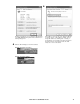
If the UPS is powered by AC source, Windows XP will
not display an icon on the taskbar by default. You can
change this behavior by clicking Start --> Setting -->
Control Panel --> Power Options. In the Power Options
Properties window, select Advanced tab, the check
Always show icon on the taskbar.
Windows XP will display an icon in the taskbar.
If UPS is powered by AC source.
If UPS is powered by battery.
bu331a
bu332a
bu333a
bu334a