
Specifications


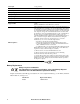


Back-UPS Pro 500 BG500 120 Vac8
Windows 7
Turn on UPS and connect UPS to the Windows 7 computer
via a USB cable. Click Start --> Control Panel -->
Hardware and Sound. Under Devices and Printers group,
click Device Manager. In the Device Manager window the
UPS is listed as a HID UPS Battery device.
If the UPS is installed as a HID UPS Battery device,
Windows 7 will display an UPS icon in the taskbar.
If the UPS is listed as an APC UPS Device. refer to step 3
in updating the device driver into HID UPS Battery.
Otherwise proceed to step 4.
Updating the driver from APC UPS to HID UPS Battery
Figure B
Figure C
3.1 If device manager shows APC UPS device or APC
Battery BackUP and in Power Options you cannot
configure the system to shutdown when the UPS is on
battery (Figures A - C) you have 2 options. 1 is to roll the
driver back to HID UPS (Figures D, E and K) or 2 is to
update the driver to HID UPS (Figures F - K)
As you see when APC UPS (figure A) or APC Battery
BackUP (Figure B) are the loaded driver under Power
Options (Figure C) there is no availability to configure
shutdown while on battery.
Figure A
bu310a
bu312a
bu281a
bu311a
bu318a
bu325a