
User manual




English
---------------------------------------------------------------------------------
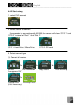
When the signal from the AD330 is conveyed to
the TV set, the following image appears on the TV
screen.
In DVD playback mode, please use the included
remote control to operate the AD330.
4.3.3 DVD playback
1. Insert a VCD or DVD disc into the AD330.
2. The AD330 will automatically check the disc. If the VCD or DVD can be
played, AD330 will play it automatically.
3. Press
to pause the playback, press again to resume playing, and
press to stop the playback.
4.During playback of a DVD-Video disc, press
to change the subtitle
setting or press
to change the language soundtrack.
5. When a VCD or DVD is played, press / to perform fast backward or
fast forward functions, and press
to show the file data of the VCD or
DVD.
6. While playing, press
/ to select the previous/next video chapter, or
press any number ( … , ) to play the corresponding title. After title
selection, AD330 will always play from first chapter of the title.
7. Press
/ to adjust the volume. If turn off the Power, the Volume
will back to default setting of maximum.
8. While playing, press
to switch to the mute mode and press again to
return to the normal volume mode, or press
/ to return to the
normal volume mode and adjust the volume.
23