
Wireless Touch Panel with Intercom Reference Guide

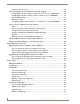
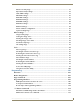
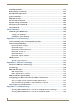
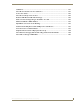

Table Of Contents
- MVP-8400iModero® ViewPoint® Wireless Touch Panel with Intercom
- MVP-8400i Modero Viewpoint Wireless Touch Panel With Intercom
- MVP-BP Power Pack
- NXA-CFSP Compact Flash
- Wireless Interface Cards
- Configuring Communications
- Modero Setup and System Settings
- Wireless Settings Page - Wireless Access Overview
- Configuring a Wireless Network Access
- Step 1: Configure the Panel’s Wireless IP Settings
- Step 2: Configure the Card’s Wireless Security Settings
- Step 3: Choose a Master Connection Mode
- Using G4 Web Control to Interact with a G4 Panel
- Using your NetLinx Master to control the G4 panel
- Upgrading MVP Firmware
- Setup Pages
- Navigation Buttons
- Setup Pages
- Information
- Protected Setup Pages
- Protected Setup Navigation Buttons
- G4 Web Control Page
- Calibration Page
- Wireless Settings Page
- Wireless Security Page
- Open (Clear Text) Settings
- Static WEP Settings
- WPA-PSK Settings
- EAP-LEAP Settings
- EAP-FAST Settings
- EAP-PEAP Settings
- EAP-TTLS Settings
- EAP-TLS Settings
- Client certificate configuration
- System Settings Page
- Other Settings
- Tools
- Programming
- Panel Calibration
- Appendix A: Text Formatting
- Appendix B - Wireless Technology
- Appendix C: Troubleshooting
- Checking AMX USBLAN device connections via Windows Device Manager
- Checking AMX USBLAN device connections via NetLinx Studio
- USB Driver
- Panel Not in Listed As a Connected Device
- Connection Status
- Panel Doesn’t Respond To Touches
- Batteries Will Not Hold Or Take A Charge
- Modero Panel Isn’t Appearing In The Online Tree Tab
- MVP Can’t Obtain a DHCP Address
- My WEP Doesn’t Seem To Be Working
- NetLinx Studio Only Detects One Of My Connected Masters
- Can’t Connect To a NetLinx Master
- Only One Modero Panel In My System Shows Up
- Panel Behaves Strangely After Downloading A Panel File Or Firmware
- Panel Fails to Charge in MVP-WDS

Table of Contents
iii
MVP-7500/8400 Modero Viewpoint Wireless Touch Panels
Wireless Security Page .................................................................................................. 71
Open (Clear Text) Settings............................................................................................ 72
Static WEP Settings....................................................................................................... 73
WPA-PSK Settings......................................................................................................... 75
EAP-LEAP Settings ........................................................................................................ 76
EAP-FAST Settings ........................................................................................................ 78
EAP-PEAP Settings........................................................................................................ 80
EAP-TTLS Settings......................................................................................................... 82
EAP-TLS Settings........................................................................................................... 84
Client certificate configuration...................................................................................... 85
System Settings Page.................................................................................................... 87
Other Settings ........................................................................................................ 89
Image Caching Page...................................................................................................... 90
Setting the image cache................................................................................................ 92
Clearing the image cache.............................................................................................. 92
Checking image cache status ........................................................................................ 92
Password Setup Page.................................................................................................... 92
SIP Settings Page .......................................................................................................... 93
Tools ....................................................................................................................... 95
Panel Logs Page ............................................................................................................ 95
Checking the Panel Connection Logs ............................................................................ 96
Refreshing the Panel Connections Log.......................................................................... 96
Clearing the Panel Connections Log ............................................................................. 96
Panel Statistics Page ..................................................................................................... 97
Checking the Panel Statistics ........................................................................................ 98
Refreshing the Panel Statistics ...................................................................................... 98
Clearing the Panel Statistics.......................................................................................... 98
Connection Utility Page ................................................................................................ 99
Using the Connection Utility ....................................................................................... 100
Programming ..................................................................................................101
Overview .............................................................................................................. 101
Button Assignments ............................................................................................. 101
Page Commands ................................................................................................... 101
Programming Numbers......................................................................................... 107
RGB triplets and names for basic 88 colors ................................................................ 107
Font styles and ID numbers......................................................................................... 109
Border styles and Programming numbers ................................................................... 110
"^" Button Commands ......................................................................................... 112
Miscellaneous MVP Strings back to the Master .......................................................... 131
MVP Panel Lock Passcode commands ......................................................................... 131