
Wireless Touch Panel with Intercom Reference Guide
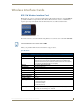

Table Of Contents
- MVP-8400iModero® ViewPoint® Wireless Touch Panel with Intercom
- MVP-8400i Modero Viewpoint Wireless Touch Panel With Intercom
- MVP-BP Power Pack
- NXA-CFSP Compact Flash
- Wireless Interface Cards
- Configuring Communications
- Modero Setup and System Settings
- Wireless Settings Page - Wireless Access Overview
- Configuring a Wireless Network Access
- Step 1: Configure the Panel’s Wireless IP Settings
- Step 2: Configure the Card’s Wireless Security Settings
- Step 3: Choose a Master Connection Mode
- Using G4 Web Control to Interact with a G4 Panel
- Using your NetLinx Master to control the G4 panel
- Upgrading MVP Firmware
- Setup Pages
- Navigation Buttons
- Setup Pages
- Information
- Protected Setup Pages
- Protected Setup Navigation Buttons
- G4 Web Control Page
- Calibration Page
- Wireless Settings Page
- Wireless Security Page
- Open (Clear Text) Settings
- Static WEP Settings
- WPA-PSK Settings
- EAP-LEAP Settings
- EAP-FAST Settings
- EAP-PEAP Settings
- EAP-TTLS Settings
- EAP-TLS Settings
- Client certificate configuration
- System Settings Page
- Other Settings
- Tools
- Programming
- Panel Calibration
- Appendix A: Text Formatting
- Appendix B - Wireless Technology
- Appendix C: Troubleshooting
- Checking AMX USBLAN device connections via Windows Device Manager
- Checking AMX USBLAN device connections via NetLinx Studio
- USB Driver
- Panel Not in Listed As a Connected Device
- Connection Status
- Panel Doesn’t Respond To Touches
- Batteries Will Not Hold Or Take A Charge
- Modero Panel Isn’t Appearing In The Online Tree Tab
- MVP Can’t Obtain a DHCP Address
- My WEP Doesn’t Seem To Be Working
- NetLinx Studio Only Detects One Of My Connected Masters
- Can’t Connect To a NetLinx Master
- Only One Modero Panel In My System Shows Up
- Panel Behaves Strangely After Downloading A Panel File Or Firmware
- Panel Fails to Charge in MVP-WDS
Wireless Interface Cards
14
MVP-7500/8400 Modero Viewpoint Wireless Touch Panels
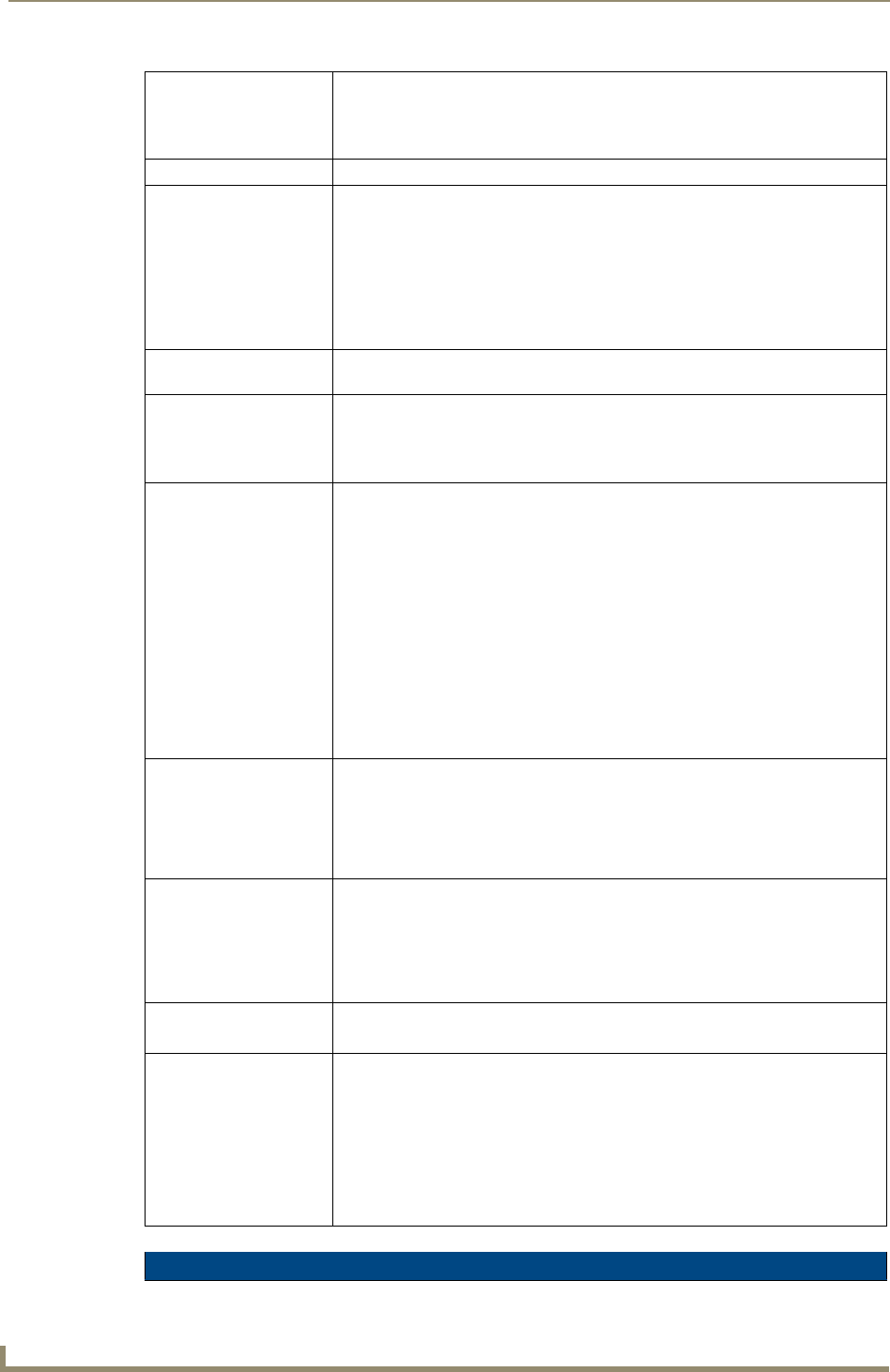
Operating Environment: • Temperature: 0°C ~ 45°C (32°F to 113°F) (operating) and
-20°C ~ 70°C (-4°F to 158°F) (storage)
• Humidity: (non-condensing) 5% ~ 90% RH (operating) and
(non-condensing) 5% ~ 95% RH (storage)
Operating Voltage: • 3.3V + 5% I/O supply voltage
Power Consumption: • @ 802.11b communication:
- RX: 270 mA
- TX: 435 mA
- Standby: 240 mA
• @ 802.11g communication:
- RX: 270 mA
- TX: 460 mA
- Standby: 240 mA
Radio Data Rate: • 802.11g compliant: 1, 2, 5.5, 11 (DSSS/CCK); 6, 9, 12, 18, 24, 36, 48, and 54
(OFDM) Mbps data rates
Radio Technology: • Using 802.11b communication: DSSS (Direct Sequence Spread Spectrum)/CCK
(Complementary Code Keying)
• Using 802.11g communication: DSSS/CCK, OFDM (Orthogonal Frequency
Division Multiplexing
Receiver Sensitivity: • Using 802.11b communication @ FER<8%:
1 Mbps: -94 dBm (max)
2 Mbps: -93 dBm (max)
5.5 Mbps: -92 dBm (max)
11 Mbps: -90 dBm (max)
• Using 802.11g communication @ PER <10%:
6 Mbps: -87 dBm (max)
9 Mbps: -86 dBm (max)
12 Mbps: -86 dBm (max)
18 Mbps: -84 dBm (max)
24 Mbps: -82 dBm (max)
36 Mbps: -78 dBm (max)
48 Mbps: -74 dBm (max)
54 Mbps: -72 dBm (max)
RF Frequency Ranges: • Using 802.11b & g communication:
Europe ETSI: 2.412 ~ 2.472 GHz
France: 2.457 ~ 2.472 GHz
Japan (802.11b): 2.412 ~ 2.484 GHz
Japan (802.11g): 2.412 ~ 2.472 GHz
North America: 2.412 ~ 2.462 GHz
Standard Conformance: • IEEE 802.11b
• IEEE 802.11g
• IEEE 802.11e
• IEEE 802.11i
• Wi-Fi (WPA and WPA2)
Transmit Output Power: • 802.11b communication: 12 +-1 dBm (1, 2, 5.5, 11 Mbps)
• 802.11g communication: 12 +-1 dBm (6, 9, 12, 18, 24, 36, 48, and 54 Mbps)
Wireless LAN Security: • EAP-FAST
• EAP-LEAP
• EAP-PEAP
• EAP-TLS
• EAP-TTLS
• WEP 64 & 128
•WPA-PSK
NXA-WC80211GCF Specifications (Cont.)