
Wireless Touch Panel with Intercom Reference Guide
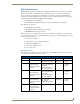

Table Of Contents
- MVP-8400iModero® ViewPoint® Wireless Touch Panel with Intercom
- MVP-8400i Modero Viewpoint Wireless Touch Panel With Intercom
- MVP-BP Power Pack
- NXA-CFSP Compact Flash
- Wireless Interface Cards
- Configuring Communications
- Modero Setup and System Settings
- Wireless Settings Page - Wireless Access Overview
- Configuring a Wireless Network Access
- Step 1: Configure the Panel’s Wireless IP Settings
- Step 2: Configure the Card’s Wireless Security Settings
- Step 3: Choose a Master Connection Mode
- Using G4 Web Control to Interact with a G4 Panel
- Using your NetLinx Master to control the G4 panel
- Upgrading MVP Firmware
- Setup Pages
- Navigation Buttons
- Setup Pages
- Information
- Protected Setup Pages
- Protected Setup Navigation Buttons
- G4 Web Control Page
- Calibration Page
- Wireless Settings Page
- Wireless Security Page
- Open (Clear Text) Settings
- Static WEP Settings
- WPA-PSK Settings
- EAP-LEAP Settings
- EAP-FAST Settings
- EAP-PEAP Settings
- EAP-TTLS Settings
- EAP-TLS Settings
- Client certificate configuration
- System Settings Page
- Other Settings
- Tools
- Programming
- Panel Calibration
- Appendix A: Text Formatting
- Appendix B - Wireless Technology
- Appendix C: Troubleshooting
- Checking AMX USBLAN device connections via Windows Device Manager
- Checking AMX USBLAN device connections via NetLinx Studio
- USB Driver
- Panel Not in Listed As a Connected Device
- Connection Status
- Panel Doesn’t Respond To Touches
- Batteries Will Not Hold Or Take A Charge
- Modero Panel Isn’t Appearing In The Online Tree Tab
- MVP Can’t Obtain a DHCP Address
- My WEP Doesn’t Seem To Be Working
- NetLinx Studio Only Detects One Of My Connected Masters
- Can’t Connect To a NetLinx Master
- Only One Modero Panel In My System Shows Up
- Panel Behaves Strangely After Downloading A Panel File Or Firmware
- Panel Fails to Charge in MVP-WDS

Appendix B - Wireless Technology
173
MVP-8400i Modero Viewpoint Wireless Touch Panels
EAP Authentication
EAP (Extensible Authentication Protocol) is an Enterprise authentication protocol that can be used in
both a wired and wireless network environment. EAP requires the use of an 802.1x Authentication
Server, also known as a Radius server. Although there are currently over 40 different EAP methods
defined, the current internal Modero 802.11g wireless card and accompanying firmware only support the
following EAP methods (listed from simplest to most complex):
EAP-LEAP (Cisco Light EAP)
EAP-FAST (Cisco Flexible Authentication via Secure Tunneling, a.k.a. LEAPv2)
The following use certificates:
EAP-PEAP (Protected EAP)
EAP-TTLS (Tunneled Transport Layer Security)
EAP-TLS (Transport Layer Security)
EAP requires the use of an 802.1x authentication server (also known as a Radius server). Sophisticated
Access Points (such as Cisco) can use a built-in Radius server. The most common RADIUS servers used
in wireless networks today are:
Microsoft Sever 2003
Juniper Odyssey (once called Funk Odyssey)
Meetinghouse AEGIS Server
DeviceScape RADIUS Server
Cisco Secure ACS
EAP characteristics
The following table outlines the differences among the various EAP Methods from most secure (at the
top) to the least secure (at the bottom of the list):
EAP Method Characteristics
Method: Credential Type: Authentication: Pros: Cons:
EAP-TLS • Certificates • Certificate is based on a
two-way authentication
• Highest
Security
• Difficult to
deploy
EAP-TTLS • Certificates
• Fixed Passwords
• One-time passwords
(tokens)
• Client authentication is
done via password and
certificates
• Server authentication is
done via certificates
• High Security • Moderately
difficult to
deploy
EAP-PEAP • Certificates
• Fixed Passwords
• One-time passwords
(tokens)
• Client authentication is
done via password and
certificates
• Server authentication is
done via certificates
• High Security • Moderately
difficult to
deploy
EAP-LEAP • Certificates
• Fixed Passwords
• One-time passwords
(tokens)
• Authentication is based on
MS-CHAP and
MS-CHAPv2
authentication protocols
• Easy
deployment
•Susceptible to
dictionary
attacks
EAP-FAST • Certificates
• Fixed Passwords
• One-time passwords
(tokens)
•N/A •N/A •N/A