
Wireless Touch Panel with Intercom Reference Guide
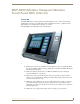
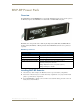

Table Of Contents
- MVP-8400iModero® ViewPoint® Wireless Touch Panel with Intercom
- MVP-8400i Modero Viewpoint Wireless Touch Panel With Intercom
- MVP-BP Power Pack
- NXA-CFSP Compact Flash
- Wireless Interface Cards
- Configuring Communications
- Modero Setup and System Settings
- Wireless Settings Page - Wireless Access Overview
- Configuring a Wireless Network Access
- Step 1: Configure the Panel’s Wireless IP Settings
- Step 2: Configure the Card’s Wireless Security Settings
- Step 3: Choose a Master Connection Mode
- Using G4 Web Control to Interact with a G4 Panel
- Using your NetLinx Master to control the G4 panel
- Upgrading MVP Firmware
- Setup Pages
- Navigation Buttons
- Setup Pages
- Information
- Protected Setup Pages
- Protected Setup Navigation Buttons
- G4 Web Control Page
- Calibration Page
- Wireless Settings Page
- Wireless Security Page
- Open (Clear Text) Settings
- Static WEP Settings
- WPA-PSK Settings
- EAP-LEAP Settings
- EAP-FAST Settings
- EAP-PEAP Settings
- EAP-TTLS Settings
- EAP-TLS Settings
- Client certificate configuration
- System Settings Page
- Other Settings
- Tools
- Programming
- Panel Calibration
- Appendix A: Text Formatting
- Appendix B - Wireless Technology
- Appendix C: Troubleshooting
- Checking AMX USBLAN device connections via Windows Device Manager
- Checking AMX USBLAN device connections via NetLinx Studio
- USB Driver
- Panel Not in Listed As a Connected Device
- Connection Status
- Panel Doesn’t Respond To Touches
- Batteries Will Not Hold Or Take A Charge
- Modero Panel Isn’t Appearing In The Online Tree Tab
- MVP Can’t Obtain a DHCP Address
- My WEP Doesn’t Seem To Be Working
- NetLinx Studio Only Detects One Of My Connected Masters
- Can’t Connect To a NetLinx Master
- Only One Modero Panel In My System Shows Up
- Panel Behaves Strangely After Downloading A Panel File Or Firmware
- Panel Fails to Charge in MVP-WDS

MVP-8400i Modero Viewpoint Wireless Touch Panel With Intercom
1
MVP-8400i Modero Viewpoint Wireless Touch Panels
MVP-8400i Modero Viewpoint Wireless
Touch Panel With Intercom
Overview
The MVP-8400i Modero Viewpoint Wireless Touch Panel (FIG. 1) is a 8.4", 802.11-based wireless
handheld G4 touch panels, pre-installed with an 802.11 Wi-Fi Interface Card to communicate with a
NetLinx Master via a standard 802.11g Wireless Access Point.
The MVP-8400i features full-duplex intercom functionality.
MVP panels feature nine programmable external pushbuttons and two programmable LEDs,
and support AMX G4 graphics technology, making them compatible with AMX’s TPDesign4
Touch Panel Design program.
MVP panels utilize two IR frequencies (38 KHz and 455 KHz) as well as 2 additional
user-defined IR libraries, on 4 IR ports.
MVP panels feature programmable firmware that can be upgraded via either the wireless
interface card or the mini-USB port. MVP panels utilize unique firmware kit files that can be
downloaded from www.amx.com.
MVP panels support AMX Computer Control, which enables remote viewing and control of
any networked computer directly from the panel. This gives the user the ability to launch
digital music from a PC, cruise the Internet, check and respond to E-mail, open software files,
and launch applications.
MVP panels come equipped with a battery and power supply (see specifications).
FIG. 1 MVP-8400i Touch Panel