
Specifications



Chapter 4 - Operation Menus and Parameters
BreezeNET B 61 System Manual
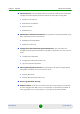
The available options are:
Set Defaults
Save Current Configuration As Operator Defaults
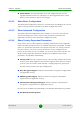
4.2.3.2.1 Set Defaults
The Set Defaults submenu enables reverting the system parameters to a
predefined set of defaults. There are two sets of default configurations:
A Factory Defaults: This is the standard default configuration.
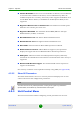
B Operator Defaults: Operator Defaults configuration can be defined by the
Administrator using the Save Current Configuration As Operator Defaults
option in this menu. It may also be defined at the factory according to specific
operator's definition. The default Operator Defaults configuration is the
Factory Defaults configuration.
The current configuration file and the Operator Defaults configuration file can be
uploaded/downloaded by the unit using FTP. For more information, see
Section 4.2.3.12. These files can also be uploaded/downloaded remotely using
TFTP (see Appendix B).
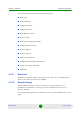
The available options in the Set Defaults submenu are:
Set Complete Factory Defaults
Set Partial Factory Defaults
Set Complete Operator Defaults
Set Partial Operator Defaults
Cancel Current Pending Request
4.2.3.2.1.1 Set Complete Factory Defaults
Select this option to reset the unit to the standard Factory Defaults configuration,
excluding several parameters that are listed in Table 4-2.