
Specifications




Chapter 3 - Commissioning Configuring the Maximum Modulation Level
BreezeNET B 44 System Manual
3.4 Configuring the Maximum Modulation
Level
This section describes how to configure the maximum modulation level for
BreezeNET B units.
1 If the SNR of the RB at the BU is too low, and vice versa, it is recommended
that you configure the Maximum Modulation Level parameter to a value that is
lower than the maximum supported by the unit. This can decrease the
number of retransmissions due to attempts to transmit at modulation levels
that are too high for the actual quality of the link.
2 Check the SNR of the RB at the BU. You can use Telnet to view the SNR values
in the MAC Address Database of the BU, which can be accessed from the Site
Survey menu. If the ATPC algorithm is not enabled in both units, the test
should be done with the Tx Power Level parameters configured to their
maximum values (subject to local regulatory limitations). If the SNR is lower
than the values required for the maximum modulation level according to
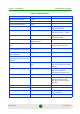
Table 3-3, it is recommended that you decrease the value of the Maximum
Modulation Level.
3 Configure the Maximum Modulation Level according to Table 3-3, using the
typical SNR values. It is recommended that a 2 dB margin be added to
compensate for possible measurement inaccuracy or variance in the quality of
the link.
4 Repeat steps 2 - 3 for the BU, checking the SNR at which it is received at the
RB using the Continuous Link Quality Display option in the Site Survey menu.
NOTE
If the RB is associated with the BU, then the final configuration of the Maximum Modulation Level
parameter may be performed remotely, for example, from the site of the BU or from another site.
To configure the Maximum Modulation Level:
NOTE
The SNR measurement at the BU is accurate only when receiving transmissions from the RB. If
necessary, ping the BU to verify data transmission from the RB.