
Specifications



Chapter 2 - Installation Installing the Outdoor Unit
BreezeNET B 27 System Manual
Loop & tie the cable near the unit for strain relief and for routing water away from
the unit: use additional cable strips to route the cable such that water can
accumulate on the cable bends, away from the unit.
2.3.4 Connecting the Grounding and Antenna
Cables
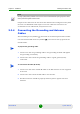
The Grounding screw (marked ) is located on the bottom panel of the outdoor
unit. The Antenna RF connector (marked ) is located on the top panel of the
D-model ODU.
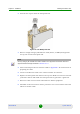
1 Connect one end of a grounding cable to the grounding terminal and tighten
the grounding screw firmly.
2 Connect the other end of the grounding cable to a good ground (earth)
connection.
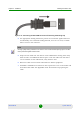
1 Connect one end of the coaxial RF cable to the RF connector on the top panel
of the unit
2 Connect the other end of the RF cable to the antenna.
3 The RF connectors should be properly sealed to protect against rain and
moisture.
NOTE
Use high quality sealing material such as Scotch 130C Linerless Rubber Splicing Tape from 3M to
ensure protection against dust and water.
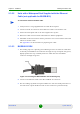
To prepare the grounding cable:
To connect the RF cable (D model):