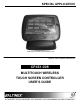
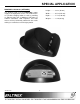
SPECIAL APPLICATION CP451-008 shown with optional docking cradle.
SPECIAL APPLICATION TABLE OF CONTENTS Page PRECAUTIONS / SAFETY WARNINGS ............... 2 GENERAL..........................................................2 HANDLING ........................................................2 CLEANING.........................................................2 FCC NOTICE .....................................................2 ABOUT YOUR CP451-008 ..................................... 3 TECHNICAL SPECIFICATIONS............................. 4 PRODUCT DESCRIPTION .................
SPECIAL APPLICATION PRECAUTIONS / SAFETY WARNINGS 1.4 FCC NOTICE 1 Please read this manual carefully before using your CP451-008 and keep it handy for future reference. These safety instructions are to ensure the long life of your CP451-008 and to prevent fire and shock hazards. Please read them carefully and heed all warnings. • 1.1 GENERAL • • • • Do not open the unit or power supply case, there are high-voltage components inside. There are no user serviceable parts inside.
SPECIAL APPLICATION ABOUT YOUR CP451-008 The CP451-008 is small, lightweight, and powerful. It can easily be carried from room to room and used to control several devices on one or more wireless networks. 2 CP451-008 SERIES Wireless Touchscreen Controller AVSnap is preinstalled on each CP451-008 making it easy to integrate into any control environment. AVSnap provides a complete environment for designing simple to sophisticated graphical user interfaces (GUIs).
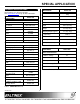
SPECIAL APPLICATION TECHNICAL SPECIFICATIONS 3 MECHANICAL CP451-008 Specifications are subject to change. See www.altinex.com for up-to-date information. Enclosure FEATURES/ DESCRIPTION Color Black Height 7.9 in (200 mm) CP451-008 Details Magnesium-Aluminum Alloy LCD Size 8.4” Width 9.6 in (240 mm) Resolution 800 x 600 max. Depth 0.9 in (23 mm) Weight 2.0 lb (0.9 kg) Shipping Weight (approx.) 3.1 lb (1.4 kg) Colors CPU RAM 32 bit AMD Geode™ LX 800 500 MHz 512 MB WLAN 802.
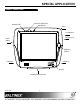
SPECIAL APPLICATION PRODUCT DESCRIPTION 4 Power/Charging LED Network LED Microphone Stylus Headphones Microphone In Power Switch Brightness Control USB Port +12VDC In Speaker Docking Port Connector 400-0518-001 5
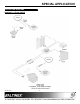
SPECIAL APPLICATION APPLICATION DIAGRAMS 5 DIAGRAM 1: TYPICAL SETUP 400-0518-001 6
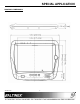
SPECIAL APPLICATION DIAGRAM 2: DIMENSIONS 400-0518-001 7
SPECIAL APPLICATION DIAGRAM 3: AC404-101 (OPTIONAL) Height............ 3.0 in (76 mm) The docking cradle uses the CP451-008’s power supply as its input power source. The cradle makes an excellent charging station as well as providing an Ethernet port and 2 additional USB ports. A network connection, USB keyboard, and USB mouse can be permanently attached to the cradle making it a central base and charging station. 400-0518-001 Width............. 6.5 in (165 mm) Depth............. 7.7 in (196 mm) Weight.
SPECIAL APPLICATION INSTALLING YOUR CP451-008 6 CONTROL SOFTWARE SET UP Step 1. The CP451-008 only requires power to be operational. If using the docking cradle, determine the best location for installation. The docking cradle should be centrally located to the CP451-008’s operational area so users will remember to return the unit to the cradle for charging. One power adapter is shipped with the CP451-008. This power adapter can power either the cradle or the CP451-008. Step 1.
SPECIAL APPLICATION OPERATION 7.3 INSTALLING FILES AND APPLICATIONS 7 The CP451 utilizes the Windows XP Embedded EWF to protect its internal drive from accidental or unauthorized changes. The EWF appears to read and write from the internal drive, but executes everything in RAM. All changes WILL be lost after reset or shutdown unless the changes are committed to memory. Three batch files are provided for direct control over the EWF and should be used cautiously.
SPECIAL APPLICATION 7.4 AVSNAP TROUBLESHOOTING GUIDE AVSnap provides a complete environment for designing simple to sophisticated graphical user interfaces (GUIs). AVSnap is preinstalled on each CP451-008 making it easy to integrate into any control environment. We have carefully tested and found no problems in the supplied CP451-008; however, we would like to offer suggestions for the following: 8 8.1 POWER IS NOT ON Cause 1: No AC power.
SPECIAL APPLICATION ALTINEX POLICIES 9 9.1 LIMITED WARRANTY/RETURN POLICIES Please see the ALTINEX website at www.altinex.com for details on warranty and return policies. 9.2 CONTACT INFORMATION ALTINEX, Inc. 592 Apollo Street Brea, CA 92821 USA TEL: 714 990-2300 TOLL FREE: 1-800-ALTINEX WEB: www.altinex.com E-MAIL: solutions@altinex.